
7 Best Cross-Platform Mobile App Development Services
Not long ago, building a mobile app meant making a choice that most businesses could not afford to make well. You could build for iOS, or you could build for Android. Building for both meant hiring two separate engineering teams, maintaining two separate codebases, and coordinating two separate release cycles every time a feature shipped or a bug needed fixing.
7 Best Cross-Platform Mobile App Development Services
Not long ago, building a mobile app meant making a choice that most businesses could not afford to make well. You could build for iOS, or you could build for Android. Building for both meant hiring two separate engineering teams, maintaining two separate codebases, and coordinating two separate release cycles every time a feature shipped or a bug needed fixing.
For large enterprises with deep engineering budgets, that was manageable. For everyone else, it meant launching on one platform and hoping the other could wait — or stretching a budget across two teams and getting a mediocre result on both.
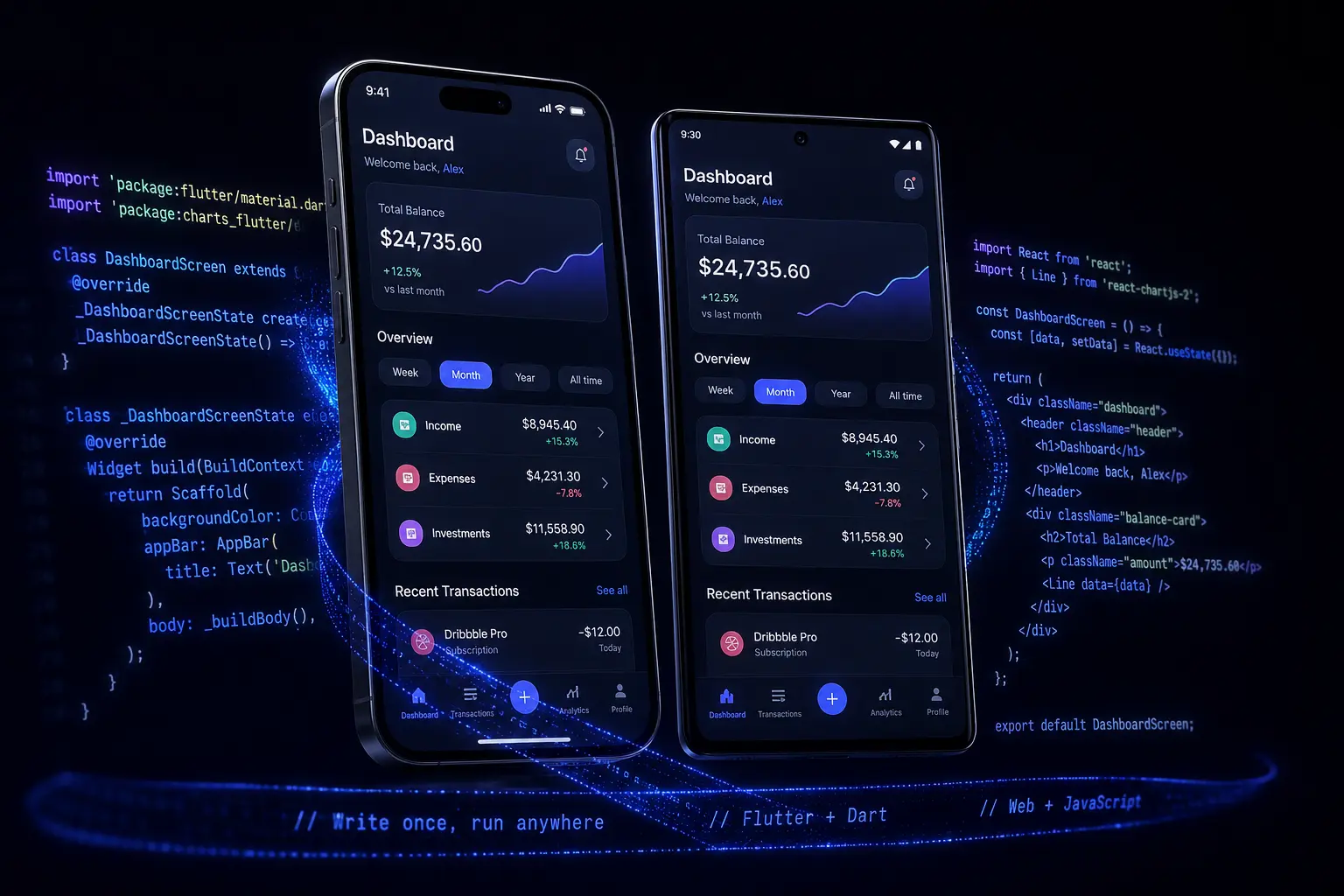
Cross-platform mobile app development changed that equation. With Flutter and React Native, a single codebase compiles into native-performing applications for both the Apple App Store and Google Play. The same feature ships to both platforms at the same time. The same bug fix goes out in one deployment. The same design system renders consistently across every device.
At MarkupMarvel, we build cross-platform mobile applications for brands that need both platforms done properly — not one done well and one done adequately. Whether you are launching an MVP, rebuilding a legacy native app, or adding mobile to an existing web product, we engineer the mobile layer your business actually needs.
1. What Cross-Platform Mobile Development Actually Means
The term gets used broadly, so it is worth being precise about what modern cross-platform development is — and what it is not.
The older generation of cross-platform tools — Cordova, PhoneGap, early Ionic — worked by wrapping a web application inside a mobile browser shell. The result looked like an app but performed like a website. Slow animations, inconsistent gestures, UI that did not quite feel native on either platform. That reputation for compromise is what gave cross-platform development a bad name for years.
Modern cross-platform frameworks are architecturally different.
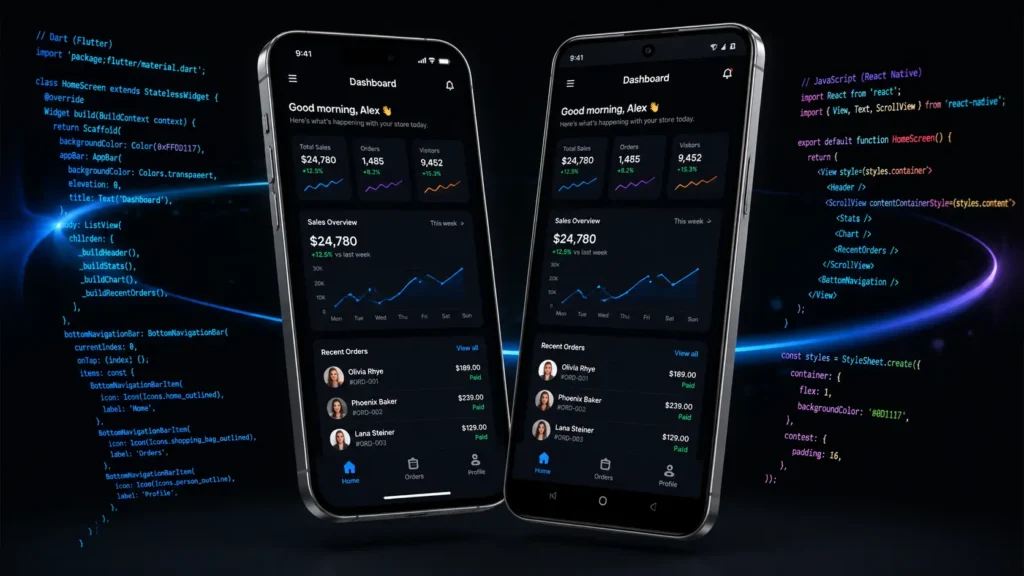
Flutter, built by Google, compiles directly to native machine code using the Dart programming language. It does not use the device’s default UI components — it uses its own high-performance rendering engine (Skia, or the newer Impeller framework) to draw every pixel on the screen directly. This means Flutter applications look and perform identically on every device, regardless of the operating system version or manufacturer.
React Native, built by Meta, takes a different approach. It uses JavaScript and the React paradigm to build interfaces, but maps those interfaces to actual native platform components on the device. A button in React Native renders as a real iOS button on iPhone and a real Android button on Android — not a web element styled to look like one. The modern JSI (JavaScript Interface) has significantly reduced the performance gap between React Native and fully native development.
Both frameworks are production-proven at scale. Instagram, Airbnb, BMW, Discord, and Shopify have all shipped major consumer applications on these frameworks. The performance concern that defined the earlier generation of cross-platform tools is not a meaningful factor for the vast majority of business, SaaS, and enterprise applications built today.
According to the Stack Overflow Developer Survey, React Native and Flutter consistently rank among the most widely used and most admired mobile development frameworks — reflecting how broadly they have been adopted by professional engineering teams.
2. Flutter vs. React Native: Choosing the Right Framework
We do not have a default framework preference. The right choice depends on your existing technical infrastructure, your design requirements, and the specific functionality your application needs.
Choose Flutter when:
Your application has a highly custom, brand-specific design system that needs to look identical on every device. Flutter’s independent rendering engine means your UI is not constrained by what iOS or Android’s default components look like — you control every pixel. Flutter is also the stronger choice when animation quality and visual smoothness are a primary product requirement.
Flutter is also well-suited when you are building across more than two platforms. Flutter’s single codebase can target iOS, Android, web, and desktop from the same source — useful for businesses that want a consistent product across all surfaces.
Choose React Native when:
Your team already has JavaScript expertise, or your product includes a React-based web application. React Native allows significant code reuse between your web and mobile layers — shared business logic, data models, API integration code, and utility functions. If your backend is built in Node.js and your web frontend is in React, React Native extends that ecosystem to mobile rather than introducing an entirely separate technology stack.
React Native is also the more established framework for integrating with a wide range of third-party JavaScript libraries and enterprise tooling.
We work through this decision during the discovery phase, before any code is written. The framework choice has long-term implications for your team’s ability to maintain and extend the application — it deserves the right level of consideration upfront.
3. UI/UX Engineering and Native Rendering Performance
A mobile application lives or dies on how it feels to use. Users do not articulate performance problems in technical terms — they just stop using apps that feel slow, unresponsive, or inconsistent. The bar is set by the best applications on the platform, and users judge everything else against it.
We build interfaces that clear that bar.
For Flutter applications, we work from Figma design files and translate them into Flutter widgets using the framework’s own rendering pipeline. Animations run at 60fps as a baseline — 120fps on devices that support it. Transitions feel physical. Scroll behavior matches the platform conventions users expect. Every interactive element responds at the frame level, not with a perceptible delay.
For React Native applications, we use the native component mapping to ensure UI elements behave exactly as users expect on each platform. An iOS user gets navigation patterns that feel like iOS. An Android user gets the Material Design interactions they are familiar with. The underlying code is shared, but the experience matches the platform.
We handle asset loading asynchronously — images, data, and heavy content load in the background while the interface remains responsive. List performance is optimized for large datasets using virtualization, so scrolling through thousands of items does not degrade frame rate. Micro-interactions and gesture responses are tuned to feel immediate.
4. Offline State Management and Data Sync Architecture
Mobile users do not use apps in controlled network environments. They use them on trains losing signal, in buildings with poor coverage, on public Wi-Fi that drops intermittently, and in situations where a failed network request at the wrong moment means lost work or a broken transaction.
Applications that handle this well feel reliable. Applications that do not handle this lose users.
We implement offline-first architecture for applications where network reliability matters. For Flutter applications, this means state management using BLoC or Provider, combined with local encrypted storage using Hive or SQLite. For React Native, we use Redux or Zustand for state, with local persistence handled through encrypted SQLite or Realm databases.
In practice: if a user is submitting a form, completing a purchase, or logging data when the network drops, the application does not freeze or lose the input. It stores the payload securely in local storage and runs a background sync the moment a stable connection is re-established. The user sees the result of a successful action — because from their perspective, it was.
This architecture also improves performance in normal network conditions. Frequently accessed data is cached locally and served from the device rather than waiting for a network round trip. The application feels faster because it is not making unnecessary requests.

5. App Store Compliance and Security Hardening
Getting an application approved by Apple and Google is a separate challenge from building it. Both platforms have detailed, frequently updated review guidelines, and rejections during the submission process add weeks to a launch timeline.
We build every application to meet Apple’s Human Interface Guidelines and Google’s Material Design specifications from the start — not as a checklist item at the end of development. Navigation patterns, permission request flows, privacy disclosures, data handling declarations, and content policies are all addressed during development rather than during the review process.
Security is built into the application architecture:
Local storage encryption ensures that sensitive data cached on the device cannot be read if the device is compromised. We use platform-appropriate encryption libraries and key management practices.
SSL pinning prevents man-in-the-middle attacks by verifying that the application is communicating with your actual backend servers, not an intercepted proxy. This is particularly important for applications handling financial data or sensitive user information.
Input sanitization prevents injection attacks at the application layer. All user-provided data is validated before being sent to the backend.
Privacy compliance — App Tracking Transparency for iOS, and equivalent disclosure requirements for Android — is implemented correctly. GDPR and CCPA data handling requirements are addressed in both the application logic and the privacy documentation submitted during App Store review.
Applications we submit pass on the first review cycle. That outcome is a result of addressing compliance requirements during development, not treating them as obstacles to clear after the application is built.
6. Hardware Integration and Native Device Features
A mobile application that only displays data is not using the platform it runs on. Modern smartphones have hardware capabilities that, when integrated properly, make the difference between an application that feels like a mobile website and one that feels like it belongs on the device.
We build integrations for the hardware features that enterprise and consumer applications commonly require:
Biometric authentication — FaceID and TouchID on iOS, fingerprint and face recognition on Android — is implemented using the platform’s secure authentication APIs. Biometric login is faster than passwords and significantly more secure. For enterprise applications handling sensitive data, it is often a compliance requirement.
Camera and scanning — QR code scanning, barcode reading, document scanning, and camera-based data capture are common requirements for logistics, retail, field service, and operational applications. We implement these using the native camera APIs rather than slower web-based alternatives.
Location services and geofencing — background location tracking, proximity triggers, and geofenced notifications are used in delivery tracking, field operations, location-based marketing, and asset management applications. We implement these with proper battery usage optimization and the correct permission handling that both platforms require.
Push notifications — Firebase Cloud Messaging for Android and Apple Push Notification Service for iOS handle delivery. We build the notification architecture to support targeted, segmented, and behavior-triggered notifications — not just broadcast messages.
On the backend connectivity side, we build the API bridges that connect your mobile application to your existing infrastructure. Whether your backend is Laravel, Node.js, or a headless CMS, we handle authentication, data streaming, real-time updates via WebSockets, and end-to-end encryption between the app and the server.
7. App Store Deployment and Post-Launch Support
The deployment process is where many mobile projects encounter unexpected delays. Provisioning profiles, code signing certificates, App Store Connect configuration, Google Play Console setup, store listing optimization — these are operational steps that require specific knowledge and can stall a launch by days or weeks if not handled correctly.
We manage the entire deployment pipeline.
For Apple App Store submissions, we handle the production build configuration, certificate signing, TestFlight distribution for final QA, and the formal submission through App Store Connect. For Google Play, we manage the signed APK or AAB build, staged rollout configuration, and Play Console submission.
We also handle App Store Optimization — the store listing copy, screenshot design, preview video specifications, keyword targeting, and category selection that determine how discoverable your application is in search results within each store.
Post-launch, we provide ongoing support for operating system updates, framework version upgrades, and new device compatibility. Both Apple and Google release major OS updates annually, and framework updates follow shortly after. We monitor these releases and maintain compatibility so your application does not break when users upgrade their devices.
Frequently Asked Questions
Q: Will cross-platform mobile app development sacrifice performance compared to native?
For business, SaaS, e-commerce, and enterprise applications, no. Flutter compiles to native machine code. React Native maps to native platform components. The performance difference between these frameworks and fully native development is not perceptible to end users in typical application use cases. The tradeoffs matter for extremely graphics-intensive applications like 3D games — not for the category of applications most businesses need.
Q: Which framework should we choose — Flutter or React Native?
It depends on your existing stack and design requirements. If you have a React-based web product and JavaScript expertise on your team, React Native extends that ecosystem to mobile efficiently. If you need a highly custom design system or pixel-perfect visual consistency across every device, Flutter’s independent rendering engine is the stronger choice. We make this recommendation during the discovery phase based on your specific situation.
Q: How do you handle platform-specific features like Apple Pay or Android biometrics?
Both frameworks support native bridges that invoke the platform’s actual OS APIs. An iPhone user gets Apple Pay and FaceID. An Android user gets Google Pay and Android biometrics. The same codebase handles both by detecting the platform at runtime and invoking the appropriate native module.
Q: Do you manage the App Store and Google Play submission process?
Yes — end to end. We handle build configuration, code signing, store listing setup, TestFlight or internal testing distribution, and the final submission to both stores. We also handle App Store Optimization for the store listings.
Q: What happens when Apple or Google releases a major OS update?
Both Flutter and Google release framework updates ahead of major OS launches. We monitor these updates, test compatibility, and ship the updated build before the OS version reaches general availability. Your application stays compatible without requiring your team to manage the technical maintenance.
Q: How long does a cross-platform mobile app development project take?
An MVP with core features typically takes 8 to 12 weeks. A full-featured enterprise application with backend integrations, offline support, and hardware features is usually 14 to 20 weeks. We provide a detailed timeline during the scoping phase.
One Codebase. Both Platforms. No Compromise.
Building separate native applications for iOS and Android made sense when there was no better option. That option exists now, and the businesses using it are shipping faster, spending less on maintenance, and delivering consistent experiences to users on every device.
Cross-platform mobile app development is not a shortcut — it is a smarter architecture. The same quality, the same features, the same design, delivered to both platforms from a single codebase.
MarkupMarvel builds mobile applications for brands that are ready to own their platform presence.



