
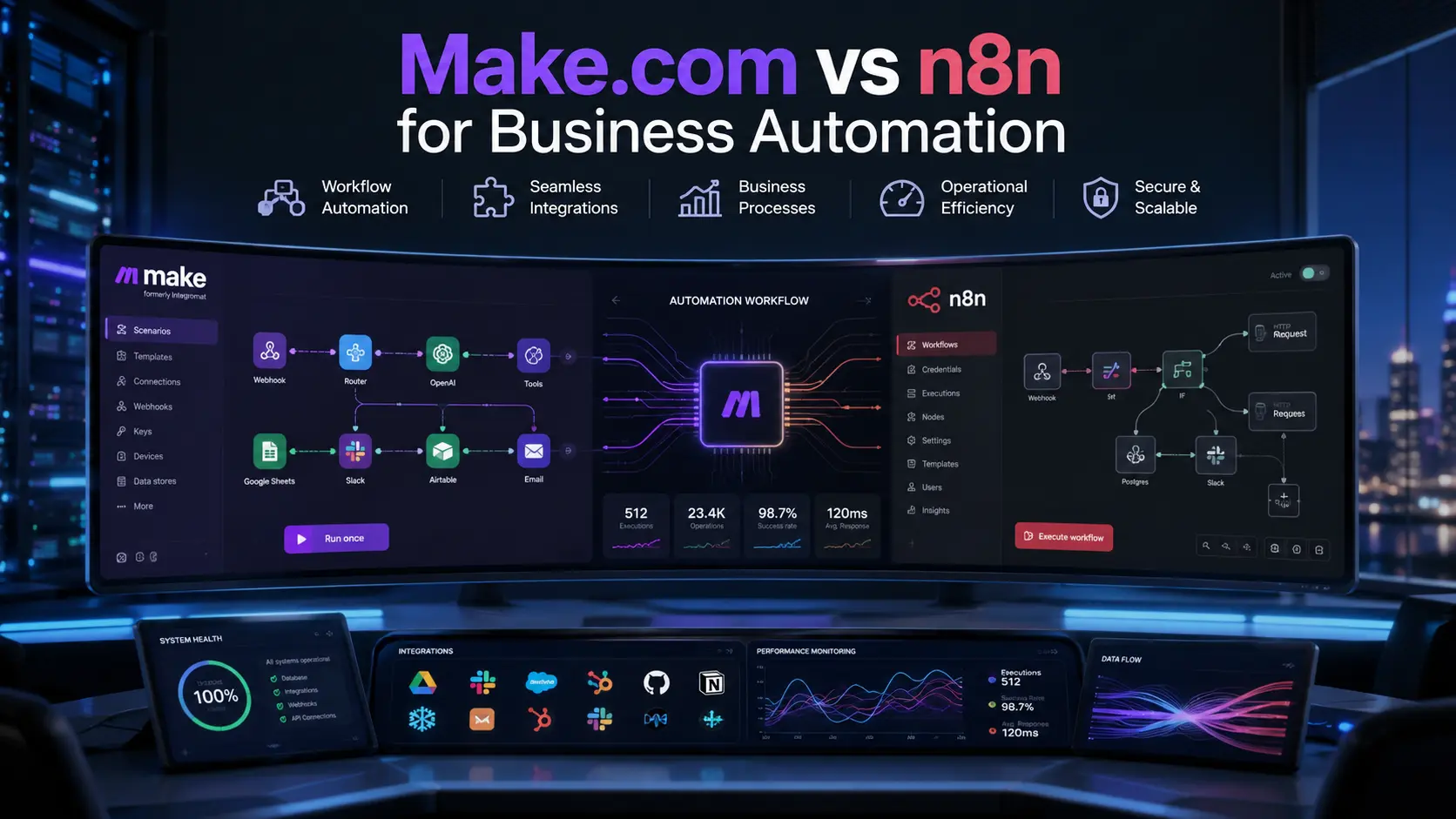
Make.com vs n8n: 5 Powerful Facts for Business Workflows

Make.com vs n8n: Which Automation Platform Is Better for Business Workflows?
Make.com vs n8n is one of the most genuinely useful comparisons you can make before committing to an automation platform — because the two tools look similar on the surface but are built on fundamentally different philosophies, with meaningfully different implications for cost, control, and long-term scalability.
Both platforms let you connect software applications, automate repetitive tasks, and build multi-step workflows without writing a full application from scratch. That surface-level similarity is where the resemblance ends. Make.com is built for speed and accessibility — a cloud-hosted, drag-and-drop tool designed to get non-technical teams automating quickly. n8n is built for control and flexibility — a developer-oriented platform that can be self-hosted, extended with custom code, and pushed into genuinely complex AI-powered workflows.
Choosing the wrong one does not just mean switching tools later. It means rebuilding your workflows from scratch, because there is no migration path between them. Getting this decision right from the start saves significant time and cost.
This guide walks through every dimension that matters for a business automation decision — pricing, ease of use, AI capabilities, data privacy, and scalability — so you can make the right choice for where your business actually is and where it is going.
Short Answer
Choose Make.com if you need a fast, cloud-hosted solution for standard SaaS integrations and want to minimize infrastructure maintenance. Choose n8n if your business requires high-volume automation, strict data privacy controls through self-hosting, or sophisticated AI agent capabilities. Make.com wins on ease of use and speed to deploy. n8n wins on scalability, cost efficiency at volume, and technical depth for complex workflows.
Why the Make.com vs n8n Decision Matters More Than It Looks
Most businesses approach automation platform selection the same way they approach any software purchase — they sign up for a trial, build a few test workflows, and go with whatever feels easier. That approach works fine for simple, low-volume use cases. It tends to create expensive problems later.
The core issue is that automation costs and complexity are not linear. A workflow that runs a few hundred times a month feels cheap on any platform. The same workflow running hundreds of thousands of times — or a workflow that has grown from five steps to fifty — can look very different from a cost and performance standpoint depending on which platform you chose twelve months ago.
Make.com charges per individual operation, which means every step in every workflow run counts against your monthly quota. A complex workflow with twenty steps uses twenty operations every time it runs. At low volume, this is negligible. At high volume, it becomes a significant line item.
n8n charges per workflow execution, regardless of how many steps that execution involves. A fifty-step workflow costs the same as a five-step workflow. For businesses running high-volume, complex automations, this pricing model can represent dramatic savings compared to Make.com at equivalent scale.
Beyond cost, there is the data question. For businesses in regulated industries — healthcare, finance, legal — where sensitive data cannot leave a controlled environment, the choice between a cloud-managed platform and a self-hostable one is not a preference. It is a compliance requirement.
Getting this decision right from the beginning is significantly easier than migrating between platforms after your workflows are built and your team is dependent on them.
What Each Platform Actually Is
Make.com: Cloud-Native Automation
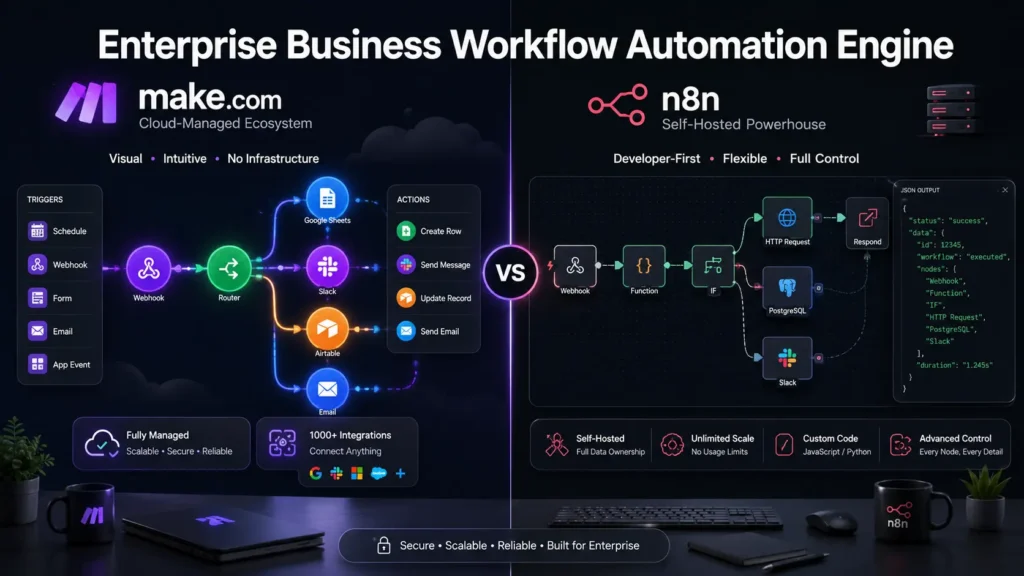
Make.com is a fully managed, cloud-hosted automation platform. You log in through a browser, connect your applications using a visual interface, and your workflows run on Make’s infrastructure. There is nothing to install, no server to manage, and no technical expertise required to get started.
This design philosophy makes Make.com genuinely accessible to non-technical teams. An operations manager can build a lead-routing workflow, a marketing team can automate campaign triggers, and a support team can set up ticket management — all without involving engineering. The platform handles reliability, uptime, and infrastructure maintenance invisibly.
The trade-off is that your data passes through Make’s servers, your customization options are limited to what the platform supports, and your costs scale with the complexity and volume of your workflows in ways that can be difficult to predict.
n8n: Developer-First Automation
n8n is a fair-code, open-source automation platform that can be run in the cloud or self-hosted on your own infrastructure. The visual interface is similar to Make.com in concept, but the underlying philosophy is different — n8n is designed to give technical users complete control over their automation environment.
On the cloud-hosted version, n8n works similarly to Make.com. The self-hosted version — which is free under the community license — runs on your own servers, keeps your data entirely within your infrastructure, and can be customized at a code level that managed platforms simply do not allow.
n8n also has native support for JavaScript and TypeScript code nodes, making it practical for workflows that require custom data transformation logic beyond what visual configuration can handle.
5 Key Differences Between Make.com vs n8n
1. Ease of Use
Make.com is the clearer choice for non-technical teams. The interface is polished, the app connectors are well-documented, and building standard integrations requires no technical background. Most people can build a working workflow within an hour of signing up.
n8n has a steeper learning curve. The visual interface is clean, but getting the most out of it — particularly for complex data transformations and API integrations — requires comfort with JSON structures and some familiarity with how APIs work. For teams with technical support available, this is manageable. For purely non-technical teams, it adds meaningful friction.
2. Integration Library
Make.com has a larger library of pre-built app connectors. If your stack includes common tools — Slack, HubSpot, Shopify, Google Workspace, Salesforce — you will almost certainly find a ready-made module that requires no custom configuration.
n8n has a smaller native library but compensates with a powerful HTTP Request node that can connect to any API regardless of whether a dedicated integration exists. For businesses using proprietary or niche enterprise systems, this flexibility often makes n8n the more practical choice despite the smaller catalog.
3. Pricing at Scale
This is where Make.com vs n8n diverges most significantly for growing businesses.
Make.com’s operation-based pricing means costs scale with workflow complexity multiplied by execution volume. A workflow with fifteen steps that runs ten thousand times a month consumes one hundred and fifty thousand operations. As workflows grow more complex and run more frequently, costs can increase faster than expected.
n8n’s execution-based pricing means costs scale only with the number of workflow runs, not the number of steps within each run. For high-volume, multi-step workflows, this model is consistently more cost-effective. The self-hosted community edition eliminates software licensing costs entirely, though you still pay for server infrastructure.
4. AI and Agentic Workflow Capabilities
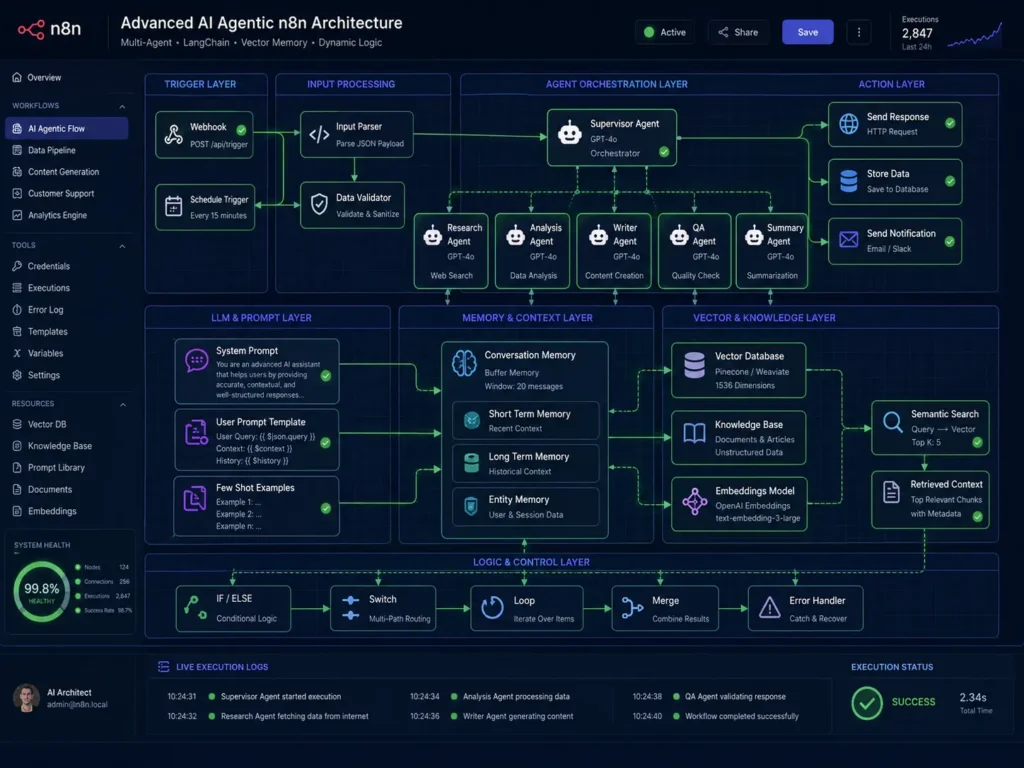
For businesses building AI-powered automation — chatbots that access internal knowledge bases, workflows that use language models for classification or content generation, or multi-step agent systems — n8n currently has a significant technical advantage.
n8n includes native LangChain integration and AI agent nodes that allow you to build genuinely sophisticated AI workflows, including RAG (Retrieval-Augmented Generation) pipelines that connect language models to your internal documents. Make.com supports basic AI integrations through standard API connections, but does not have the same depth of native AI tooling.
If AI automation is part of your roadmap, this difference is worth taking seriously.
5. Data Privacy and Self-Hosting
For businesses that handle sensitive data — health records, financial information, personal data subject to GDPR or similar regulations — the ability to self-host is not a nice-to-have. It is often a requirement.
n8n’s self-hosted option keeps all workflow data, credentials, and execution logs within your own infrastructure. Nothing leaves your environment unless you explicitly configure it to. Make.com, as a cloud-only platform, does not offer this option. All data processed by Make.com workflows passes through their servers, subject to their privacy policies and data processing agreements.
For regulated industries, this single difference often makes n8n the only viable option regardless of other considerations. You can review n8n’s self-hosting documentation at n8n’s official hosting guide.
Make.com vs n8n: Full Feature Comparison
Feature | Make.com | n8n
————————-|———————————–|—————————
Primary Audience | Non-technical teams, SMEs | Developers, technical teams
Hosting | Cloud only | Cloud or self-hosted
Pricing Model | Per operation (step) | Per execution (workflow run)
Setup Speed | Very Fast | Fast to Moderate
AI / LLM Capabilities | Basic API integration | Native LangChain and RAG
Custom Code | Limited | JavaScript / TypeScript nodes
Data Privacy | Vendor infrastructure | Full self-hosted control
Integration Library | Very Large | Moderate + HTTP flexibility
Best For | Quick deployment, standard tools | Scale, compliance, AI workflows
[/TABLE]
Common Mistakes When Choosing Between Make.com vs n8n
Underestimating Future Volume
The most common mistake is choosing Make.com based on current workflow volume without projecting what costs look like six or twelve months later. Always calculate your expected monthly operations at realistic scale before committing to a pricing plan.
Choosing n8n Without the Engineering Capacity to Maintain It
n8n’s self-hosted option is powerful, but it requires someone to maintain it. Server updates, dependency patches, backup management, and performance monitoring are all your responsibility. If your team does not have dedicated capacity for this, the operational overhead will surface as incidents and delays at inconvenient times.
Ignoring Data Privacy Requirements Early
Discovering that your compliance requirements mandate self-hosting after you have already built workflows on Make.com means rebuilding everything from scratch. Assess your data privacy and regulatory requirements before choosing a platform, not after.
Hardcoding Credentials in Workflow Nodes
On both platforms, storing API tokens and credentials directly inside workflow nodes rather than in the platform’s secure credential vault creates security risks that are easy to avoid and costly to fix after the fact.
Skipping Error Handling
Workflows without proper error handling and fallback paths fail silently. A broken API connection on one node can stall an entire downstream process without any notification. Build error handling into every workflow from the start.
For businesses also exploring AI-powered document workflows and knowledge base automation, see our guide on RAG system development: /rag-system-development-business-knowledge
Frequently Asked Questions
Q: Is n8n actually free?
A: The community edition of n8n is free to self-host under fair-code licensing. You are responsible for the server infrastructure costs, which vary depending on your hosting provider and workflow volume. The cloud-hosted version of n8n has a paid subscription model similar to Make.com.
Q: Can I switch from Make.com to n8n later?
A: Yes, but it requires rebuilding your workflows manually. There is no automated migration tool between the two platforms because they handle data structures, variables, and workflow logic differently. This is one of the strongest arguments for getting the platform decision right before you build.
Q: Which platform is better for non-technical teams?
A: Make.com is the clear choice for non-technical teams. The interface is more intuitive, the pre-built connectors require less configuration, and there is no infrastructure to manage. n8n is more approachable than it used to be, but it still requires more technical comfort for complex use cases.
Q: Does n8n require coding skills?
A: Basic workflows in n8n can be built without coding. Getting the most out of it — particularly for complex data transformations, custom API integrations, and AI agent workflows — benefits significantly from familiarity with JavaScript and JSON. For simple use cases, coding is optional.
Q: Which platform is better for sensitive business data?
A: n8n is the stronger choice for sensitive data because of its self-hosting option. When self-hosted, all workflow data stays within your own infrastructure. Make.com processes all data on its own servers, which may not satisfy strict data residency or compliance requirements.
Q: Which is better for AI automation workflows?
A: n8n has a significant advantage for AI automation. Its native LangChain integration and AI agent nodes allow for sophisticated multi-step AI workflows including RAG pipelines. Make.com supports basic AI integrations but lacks the same depth of native AI tooling.
Q: What is the biggest hidden cost of each platform?
A: For Make.com, the hidden cost is operation usage — complex, high-volume workflows consume credits faster than most businesses anticipate when they first sign up. For n8n self-hosted, the hidden cost is engineering time — maintaining the instance, managing updates, and troubleshooting infrastructure issues requires dedicated capacity that does not appear in any software pricing comparison.
The Bottom Line
The Make.com vs n8n decision comes down to three honest questions about your business.
How technical is your team? If you have engineering support available, n8n opens up capabilities that Make.com cannot match. If you do not, Make.com will get you to value faster with significantly less friction.
How sensitive is your data? If compliance requirements demand that data stays within your infrastructure, n8n’s self-hosting makes it the only practical choice for those workflows. If standard cloud data processing agreements are sufficient, Make.com’s managed infrastructure is a reasonable option.
How complex and high-volume will your workflows become? If your automation roadmap involves simple, moderate-frequency integrations, Make.com’s ease of use is worth the pricing premium. If you are building complex, high-volume, or AI-powered workflows, n8n’s execution-based pricing and technical depth will almost certainly serve you better over time.
Both platforms are genuinely good tools for the use cases they are designed for. The right one is the one that fits your actual situation — not the one with the better marketing.
Ready to Build Your Automation Stack?
We help businesses design and implement automation architectures using the right tools for their specific requirements — whether that means Make.com, n8n, or a combination of both.
More Blog

High-Availability Cloud Infrastructure: 5 Proven Steps

Nginx Redis Caching Optimization: 6 Proven Speed Tactics

Content Optimization for AI Search: 5 Proven Steps to Rank



