
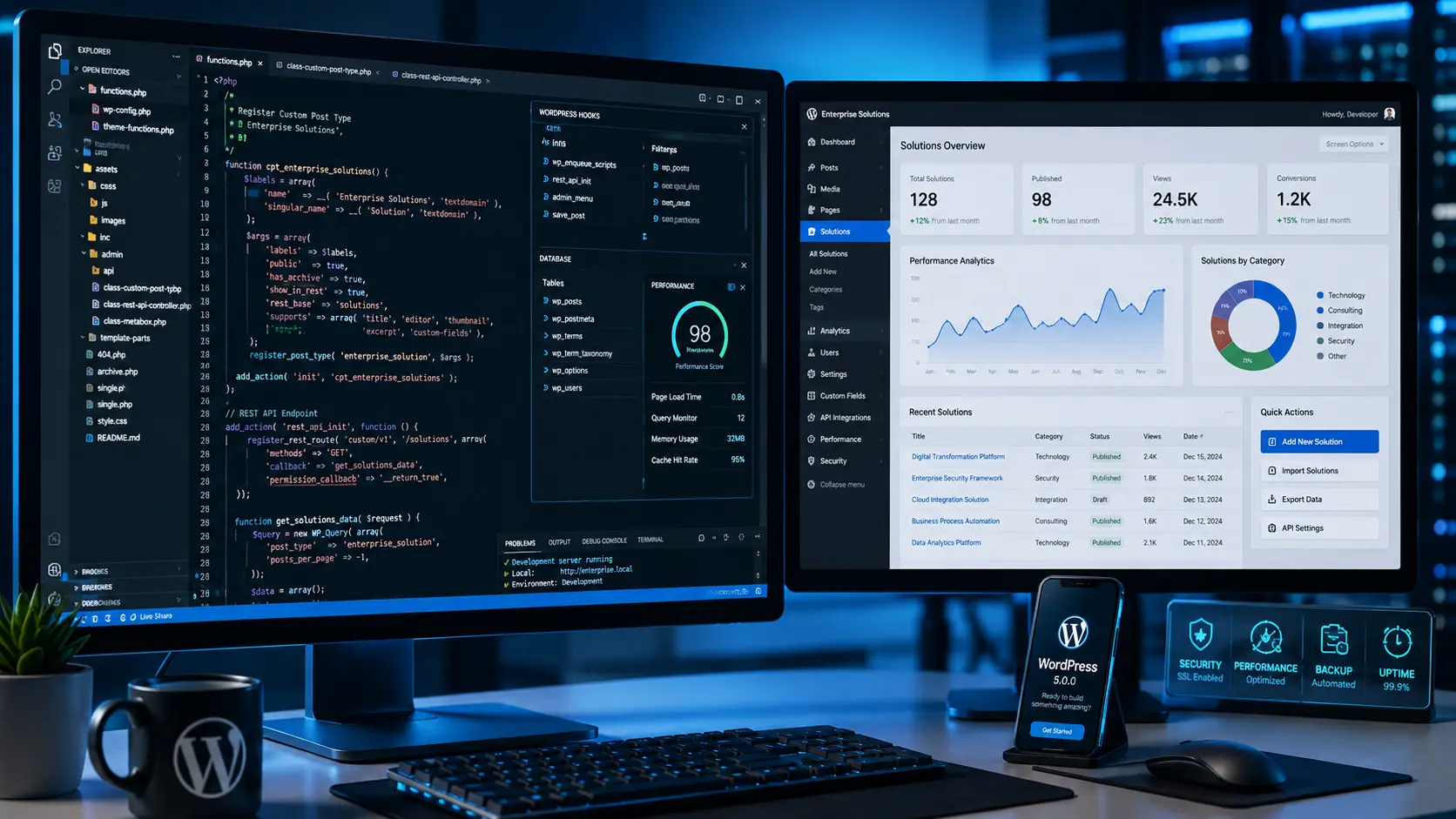
5 Powerful Custom WordPress Development Tips for Enterprise

Custom WordPress Development Services: Building Scalable Enterprise CMS
Custom WordPress development is the difference between a website that works and a website that works for your business — specifically, reliably, and at the scale you actually need.
WordPress powers over 40% of the internet, but that statistic obscures a critical distinction. There is a fundamental difference between a generic template site assembled with a drag-and-drop builder and a bespoke CMS architecture engineered for enterprise operations. Both run on WordPress. Only one is built to support real business growth.
Commercial themes and page builders are designed to serve the widest possible audience, which means they include features for every use case imaginable — most of which you will never use. That breadth comes at a cost: bloated code, slower load times, fragile plugin dependencies, and backends that frustrate the marketing teams who have to use them every day.
Custom WordPress development starts from a different premise entirely. Rather than adapting a general-purpose template to your specific needs, it builds the exact system your business requires — clean code, structured content, optimized performance, and a backend that your team can actually navigate without developer support.
This guide covers what custom WordPress development actually involves, the specific problems it solves, and the architectural decisions that separate high-performance enterprise CMS builds from the template-based alternatives.
Short Answer
Custom WordPress development is the practice of building WordPress websites and CMS systems from scratch — without commercial themes or page builders — using hand-coded PHP, custom plugin architecture, and tailored backend interfaces. For enterprise businesses, it produces faster sites, cleaner code, more intuitive content management, and significantly better security than template-based alternatives. The investment is higher upfront, but the long-term cost of maintaining a custom build is consistently lower than the ongoing overhead of managing a bloated template site.
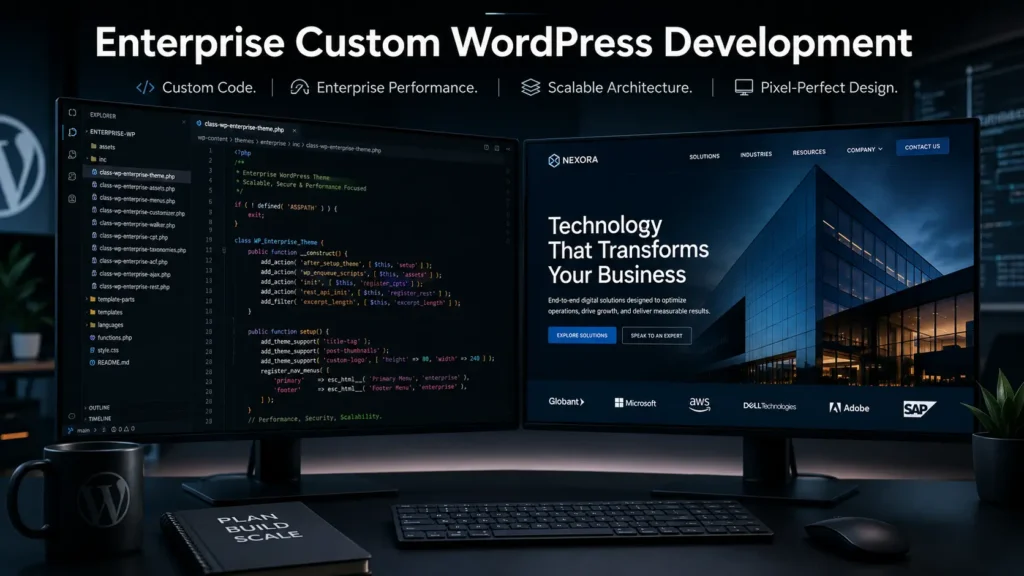
Why Commercial WordPress Themes Create Enterprise Problems
Understanding why custom WordPress development matters starts with understanding what commercial themes actually are and how they work.
A commercial theme is built to be useful to as many people as possible across as many industries as possible. To achieve that breadth, it includes layout options, color schemes, typography systems, animation libraries, and feature modules for every conceivable use case. The vast majority of those options will never be used by any individual business — but the code for all of them loads on every page regardless.
Performance Bottlenecks
Commercial themes load large CSS and JavaScript libraries on every page visit, even when only a fraction of those features are in use. This bloated code directly degrades Core Web Vitals scores — the performance metrics that Google uses as a ranking signal. For businesses where organic search traffic matters, a slow commercial theme is not just a technical problem. It is a marketing problem.
Security Vulnerabilities
To compensate for the limitations of commercial themes, most agencies install a large number of third-party plugins to achieve the functionality a client needs. Each plugin introduces a potential security vulnerability and a potential compatibility conflict. When WordPress releases a core update, these plugin dependencies frequently break in ways that are difficult to predict and expensive to fix. The result is a site that requires constant maintenance attention just to remain stable.
Administrative Friction
Commercial theme backends become cluttered with options and menus that do not relate to the actual content your team manages. Marketing teams cannot update landing pages or publish new content without either calling a developer or risking breaking the layout. This friction is not a minor inconvenience — it is a real constraint on how quickly your business can respond to market opportunities.
Custom WordPress development addresses all three of these problems by building only what you need, structured in a way that makes sense for your specific content and workflow.
The 3 Pillars of Enterprise Custom WordPress Development
Pillar 1: Pixel-Perfect Design Implementation
Custom WordPress development starts with your design, not with a template you adapt to fit your design. Frontend engineers manually code your approved designs into responsive HTML5, CSS3, and modern JavaScript — no layout builder approximations, no compromises to fit an existing grid system.
The result is a frontend that matches your design prototype exactly, with only the code that your specific implementation requires. This produces cleaner markup, faster load times, and a visual output that reflects your brand accurately rather than the constraints of a commercial theme.
For teams working with design tools, the Figma design platform integrates cleanly with this workflow — designers work in Figma, engineers implement from those files directly, without the translation loss that comes from fitting a design into a template.
Pillar 2: Advanced Custom Fields Data Structuring
One of the most valuable aspects of custom WordPress development for content-heavy enterprises is the ability to structure content as actual data rather than as unformatted text in a generic editor.
Advanced Custom Fields (ACF) allows developers to create structured content interfaces that match the actual data model of your business. Instead of asking a content editor to manage complex information in a single text block, you can create labeled fields for each data point — product specifications, team member profiles, case study metrics, event details — that appear as clean, organized forms in the WordPress backend.
This separation of data from design means your marketing team can update any piece of content without risking the visual layout. It also means that the same structured data can be displayed in multiple contexts across the site without duplication.
Pillar 3: Native Gutenberg Block Development
The WordPress block editor (Gutenberg) is the standard interface for content creation in modern WordPress installations. Custom WordPress development takes this further by building a proprietary library of React-based block components that are designed specifically for your brand and content types.
Rather than relying on third-party block plugins — which reintroduce the dependency and performance problems of commercial themes — custom Gutenberg blocks give your content team a library of on-brand, high-performance components they can combine to build any page layout without developer involvement.
Headless WordPress: High-Performance Architecture for Enterprise
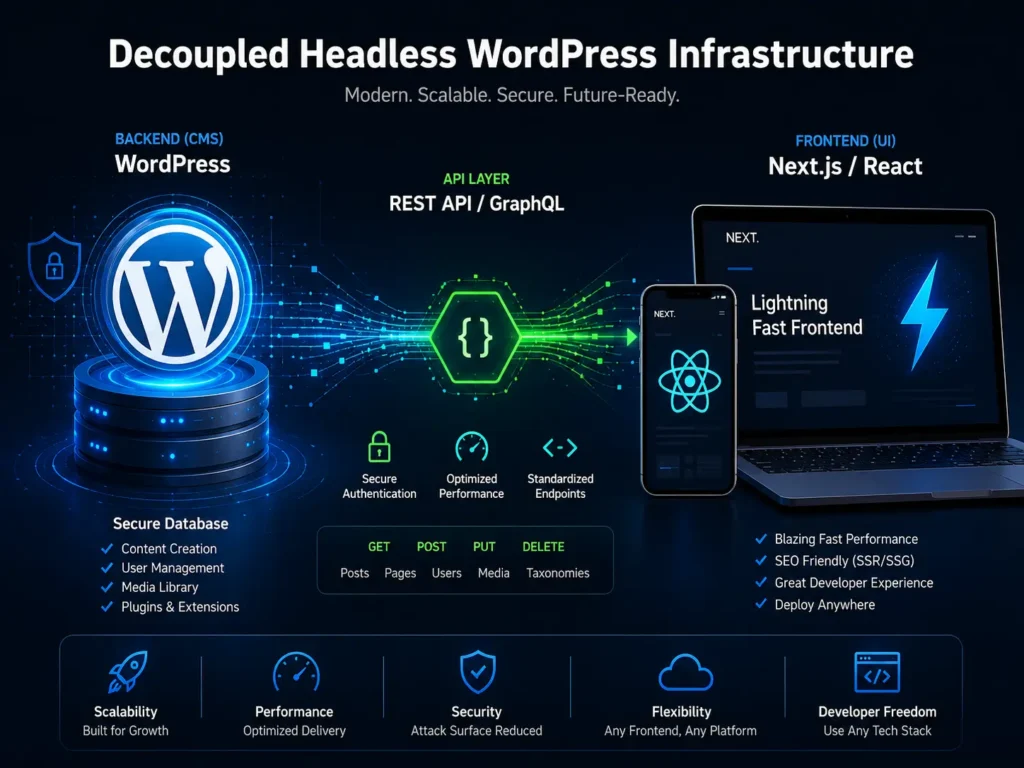
Headless WordPress completely separates the frontend from the backend. WordPress serves as a content repository and management interface — editors continue using the familiar WordPress dashboard. A separate frontend application, built in a modern JavaScript framework like Next.js or React, handles what users actually see and experience.
The two systems connect through the WordPress REST API or GraphQL. This architecture produces several advantages that are difficult to achieve with traditional WordPress. Frontend performance approaches the speed of static sites because pages are pre-rendered rather than dynamically generated on each request. Security improves because the WordPress installation is not publicly exposed — the database is separated from the public-facing application. And the content layer can power multiple frontends simultaneously — website, mobile application, digital signage — from a single source of truth.
The trade-off is architectural complexity. Headless WordPress development requires more planning, more infrastructure, and more ongoing coordination between frontend and backend systems. For businesses where performance is a competitive differentiator, the trade-off is worth it. For businesses with simpler requirements, a well-optimized traditional WordPress build delivers excellent results.
For businesses building API-driven systems alongside their CMS, see our guide on Calendar API integration: /calendar-api-integration-enterprise-booking.
Performance and Security in Custom WordPress Development
Core Web Vitals Optimization
Custom WordPress development produces better Core Web Vitals scores than commercial alternatives because the codebase only includes what the site actually needs. No unused CSS libraries, no JavaScript that loads for features the site does not implement, no third-party scripts from plugins that add overhead without adding value.
Specific optimizations built into every custom WordPress development project include deferred JavaScript loading to prevent render-blocking resources, modern image formats like WebP for faster image delivery, CSS minification to reduce stylesheet size, and server-side caching configured for the specific content and traffic patterns of each site.
Enterprise Security Hardening
Custom WordPress development eliminates the largest surface areas for security vulnerabilities — third-party themes and the plugin stack that commercial builds require. Beyond that reduction, enterprise custom builds implement specific security measures that commercial sites rarely include.
The default WordPress admin login URL is replaced with a custom path, eliminating the automated scanning that targets standard WordPress installations. Database queries use strict sanitization to prevent SQL injection attacks. XML-RPC is disabled or restricted where not needed. User roles and permissions are configured to the minimum access required for each team member’s actual responsibilities.
Combined with deployment on managed cloud infrastructure with automated security patching and proper backup procedures, these measures produce a security posture that is significantly stronger than what a plugin-based commercial build can achieve.
Common Custom WordPress Development Mistakes
Using Page Builders for Performance-Critical Sites
Page builders like Elementor and WPBakery are widely used because they reduce development time. They also add significant JavaScript and CSS overhead to every page. For sites where Core Web Vitals performance is a business priority — and for most enterprise sites it should be — page builders create a ceiling on what is achievable. Custom WordPress development avoids this ceiling by writing only the code the site requires.
Over-Relying on Third-Party Plugins
Every plugin added to a WordPress installation is a potential security vulnerability, a potential compatibility conflict, and a potential performance overhead. The goal in custom WordPress development is to build needed functionality into the theme and custom plugins rather than relying on third-party solutions. Where third-party plugins are used, they should be carefully evaluated for code quality, active maintenance, and security track record.
Neglecting Backend Usability
A custom WordPress site that is difficult for the marketing team to use is not a success, regardless of how well it performs technically. Custom WordPress development should invest as much attention in the backend content management experience as in the frontend output. Structured custom fields, well-labeled interfaces, and clear documentation for content editors are part of what makes a custom build genuinely better than a commercial alternative.
Skipping Staging Environments
Every WordPress update — core, plugin, or theme — should be tested in a staging environment before being applied to production. Custom WordPress development projects should include a staging environment as a standard part of the infrastructure, not as an afterthought. This is especially important for custom builds where an update might interact with custom code in unexpected ways.
Not Planning for Content Migration
For businesses migrating from an existing site to a new custom WordPress build, content migration is often underestimated in scope and complexity. Structured content that exists in one format may need significant transformation to fit the new data model. Planning the migration process thoroughly before development begins saves significant time and prevents content quality issues at launch.
Frequently Asked Questions
Q: Why should an enterprise invest in custom WordPress development instead of a premium commercial theme?
A: Premium commercial themes are built to serve thousands of different businesses, which means they include code for features most businesses will never use. This produces slower sites, more security vulnerabilities, and backends that are harder for non-technical teams to use. Custom WordPress development builds exactly what your business needs — producing faster performance, stronger security, and a content management experience designed for your specific workflow.
Q: Can you convert our Figma designs into a custom WordPress site?
A: Yes. This is a core part of custom WordPress development — frontend engineers implement your design files directly in HTML5, CSS3, and JavaScript rather than adapting your design to fit a template. The result matches your approved design exactly without the performance overhead of a page builder.
Q: What is the difference between standard WordPress and headless WordPress?
A: Standard WordPress renders both the content management backend and the public-facing website on the same server. Headless WordPress uses WordPress only as a content management system and connects it via API to a separately built frontend application. This produces faster load times, better security, and the ability to deliver content to multiple frontends — website, mobile app, other channels — from a single content source.
Q: How do you handle ongoing maintenance on a custom WordPress build?
A: Custom WordPress builds are generally more stable than commercial theme builds because they have fewer plugin dependencies. WordPress core updates can be applied cleanly without the compatibility conflicts that affect heavily plugin-dependent sites. Long-term maintenance involves monitoring, security patching, and testing updates in a staging environment before applying them to production.
Q: Will our marketing team be able to manage content on a custom build?
A: Yes — and typically more easily than on a commercial theme. Custom WordPress development builds the backend interface specifically for the content your team actually manages, using Advanced Custom Fields to create structured, labeled forms for each content type. The result is a more intuitive editing experience than the cluttered, general-purpose interfaces that commercial themes produce.
Q: How long does a custom WordPress development project typically take?
A: Timeline depends on the scope and complexity of the build. A standard enterprise custom WordPress site typically takes eight to sixteen weeks from design sign-off to launch. Headless WordPress builds with complex API integrations may take longer. Projects that include significant content migration from existing sites require additional time for the migration planning and execution.
Q: Is custom WordPress development significantly more expensive than a commercial theme?
A: The upfront investment is higher. The total cost of ownership over two to three years is often comparable or lower, because custom builds require less ongoing maintenance, fewer emergency fixes for plugin conflicts, and less developer involvement for routine content updates. For businesses where website performance directly affects revenue — through search rankings, conversion rates, or brand perception — the performance advantages of custom WordPress development compound the cost justification further.
The Bottom Line
Custom WordPress development is not the right choice for every business at every stage. For a startup validating a concept, a commercial theme that gets something live quickly is a reasonable starting point.
For growing enterprises where website performance affects search rankings, where marketing teams need to move quickly without developer involvement, and where security vulnerabilities carry real business risk — custom WordPress development is not a luxury. It is the infrastructure decision that determines how well the website serves the business over the next several years.
The performance advantages are measurable. The security improvements are significant. The long-term cost savings from reduced maintenance and fewer emergency fixes are real. And the backend experience that a well-built custom WordPress site provides to the teams who use it daily is consistently better than what commercial alternatives deliver.
If your current WordPress site is slowing down your marketing team, underperforming in search, or requiring constant plugin maintenance to stay functional, custom WordPress development is the most direct path to a site that works the way your business needs it to.
Ready to Build Your Enterprise WordPress CMS?
We design and build custom WordPress systems for enterprise businesses — from pixel-perfect frontend implementation to headless architecture and structured content management.
More Blog

High-Availability Cloud Infrastructure: 5 Proven Steps

Nginx Redis Caching Optimization: 6 Proven Speed Tactics

Content Optimization for AI Search: 5 Proven Steps to Rank



