
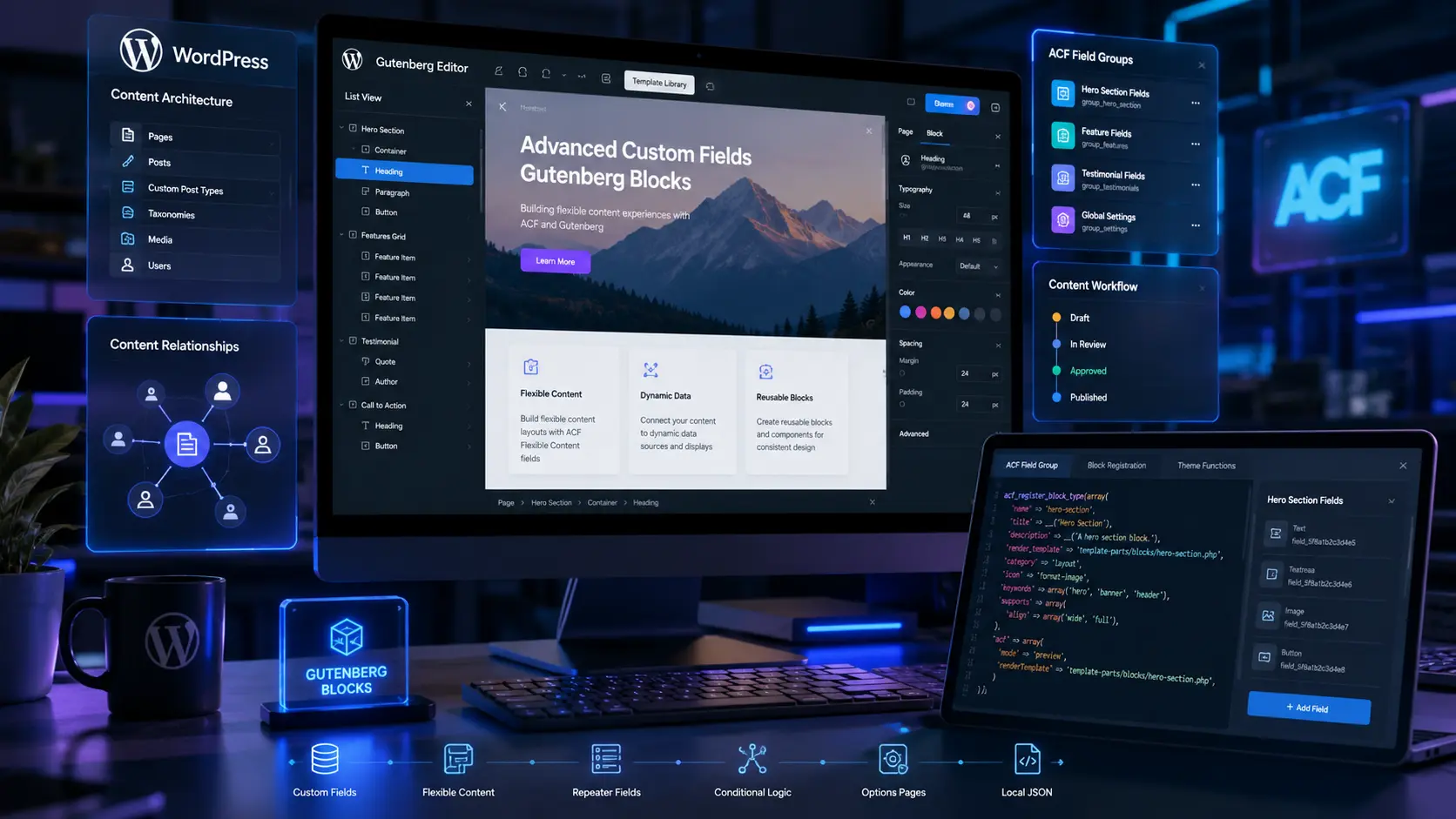
5 Powerful ACF Gutenberg WordPress Workflow Strategies

How ACF and Gutenberg Blocks Improve WordPress Content Workflows
ACF Gutenberg WordPress workflows have changed how enterprise teams manage content — replacing the frustrating choice between rigid developer-dependent templates and bloated page builders.
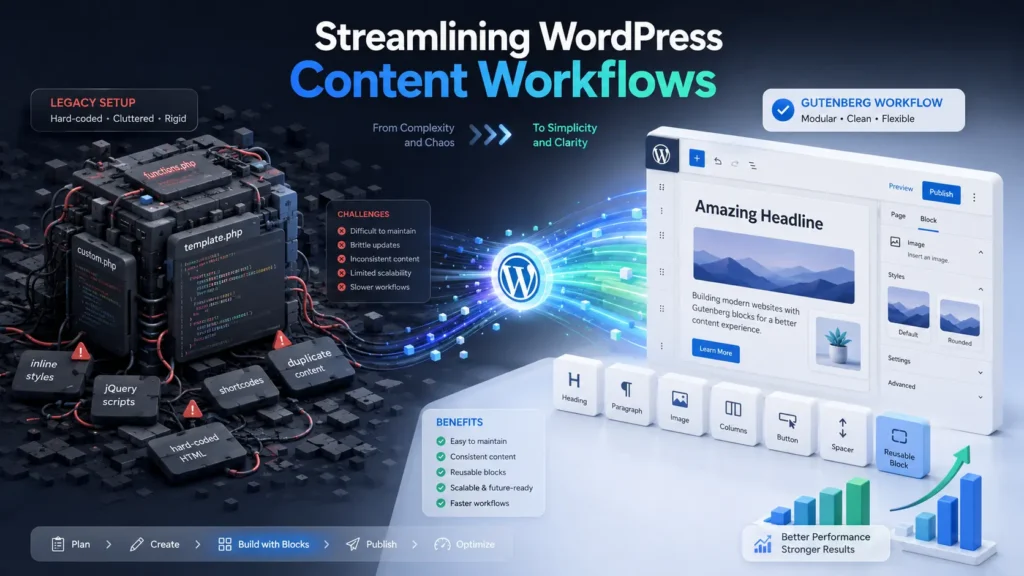
For years, growing businesses scaling their WordPress sites faced a genuine dilemma. Hard-coded templates required a developer for every content update. Commercial page builders like Elementor or WPBakery gave content teams more independence, but at a significant cost: slow load times, fragile plugin dependencies, and brand consistency problems that surfaced every time an editor had a little too much creative freedom.
The combination of Advanced Custom Fields and the native Gutenberg block editor resolves this dilemma directly. Developers build a library of custom, brand-specific blocks. Content teams use those blocks to build and update pages — with full editorial flexibility and zero risk of breaking the design. The technical foundation is lightweight, the editing experience is intuitive, and the resulting architecture is clean enough to support headless CMS migrations when the time comes.
This guide explains how ACF and Gutenberg WordPress workflows actually work, why they produce better outcomes than the alternatives, and what to get right — and wrong — when implementing them.
Short Answer
ACF and Gutenberg WordPress workflows create a modular, brand-specific content management system by combining Advanced Custom Fields with the native WordPress block editor. This approach replaces commercial page builders with custom, reusable blocks tailored to a specific brand’s content types and design system. Marketing teams can build and update complex layouts through an intuitive drag-and-drop interface, while developers maintain strict control over design, performance, and data structure. The result is faster page loads, better Core Web Vitals, and a content editing experience that actually fits how your team works.
Why ACF and Gutenberg WordPress Workflows Matter for Business
The CMS editing experience has a direct impact on business outcomes that is easy to underestimate until you are living with the consequences of a poor one.
When content teams have to submit developer tickets to update a landing page, campaign velocity slows. When page builders load unnecessary code on every page regardless of what blocks are actually in use, Core Web Vitals scores suffer and search rankings follow. When editors have too much freedom in a commercial page builder, brand consistency breaks down across the site over time.
ACF and Gutenberg WordPress workflows address each of these problems structurally rather than through workarounds.
From a cost perspective, a custom block library eliminates the recurring developer time that template-based sites require for routine content updates. From a performance perspective, custom blocks load only the CSS and JavaScript needed for the specific blocks present on each page — unlike commercial page builders that load their entire asset library globally. From a brand consistency perspective, developers control the design within each block; editors control only the content.
For businesses running high-traffic sites where page speed affects search rankings, or marketing teams that need to launch campaigns quickly without developer bottlenecks, ACF and Gutenberg WordPress workflows represent a meaningful operational improvement over both hard-coded templates and commercial page builders.
For businesses also managing enterprise WordPress architecture, see our guide on custom WordPress development: /enterprise-custom-wordpress-development
How ACF and Gutenberg Actually Work Together
What Gutenberg Is
Gutenberg is the native WordPress block editor introduced in WordPress 5.0. It is built on React and treats every piece of content — a paragraph, an image, a testimonial, a pricing table — as an individual block. The editor provides a visual, drag-and-drop interface for building pages from these blocks.
Out of the box, Gutenberg comes with a library of default blocks for common content types. The limitation for enterprise use is that these default blocks are generic — they are designed to work for everyone, which means they are not optimized for any specific brand or content model.
What Advanced Custom Fields Does
Advanced Custom Fields (ACF) is a widely used WordPress plugin that allows developers to create structured data fields for any content type. Rather than storing everything in a single text editor, ACF lets you define exactly what fields a piece of content contains — a headline field, a body text field, an image field, a CTA button field — and displays them as a clean, labeled form in the WordPress backend.
How They Work Together
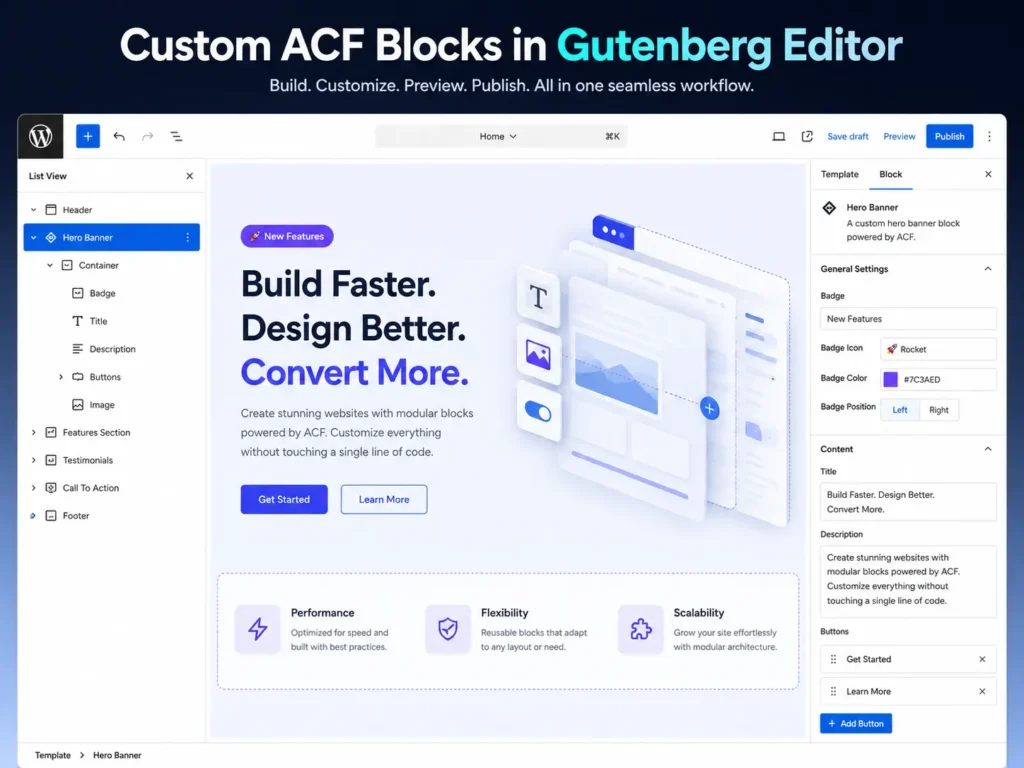
When you combine ACF with Gutenberg through ACF Blocks, developers can build custom block types using PHP, HTML, and CSS — the standard web development stack — rather than requiring deep React expertise. Each custom block has exactly the fields the content team needs, displayed in a clean interface, with the styling and layout handled entirely by the developer’s code.
From the editor’s perspective, the experience is intuitive: select a block from the library, fill in the fields, and see an accurate preview of exactly how it will look on the live site. No guesswork, no layout breakage, no off-brand styling decisions.
5 Ways ACF and Gutenberg WordPress Workflows Improve Content Operations
1. Eliminating Page Builder Performance Overhead
Commercial page builders generate deeply nested HTML structures and load extensive CSS and JavaScript libraries to power their visual editing features. This code loads on every page regardless of which features are actually in use — a significant source of DOM bloat that degrades Core Web Vitals scores.
Custom ACF blocks generate clean, semantic HTML with conditional asset loading. The CSS and JavaScript for each block only loads when that block is present on the page. For sites with many different page types, this conditional loading produces meaningful performance improvements — particularly on mobile, where the difference between a 45 and a 90 on Google PageSpeed Insights translates directly into user experience and search ranking outcomes.
2. Giving Content Teams Real Editorial Independence
A well-built ACF and Gutenberg block library gives marketing teams a toolkit of branded, pre-approved components — hero sections, pricing tables, testimonial carousels, feature grids, case study layouts — that they can combine freely to build any page the campaign requires.
Content editors work through a visual interface that shows exactly how each block will look on the published page. They can drag, reorder, duplicate, and configure blocks without submitting developer tickets or risking layout breakage. For teams that need to launch campaigns quickly, this independence is a significant operational advantage.
3. Enforcing Brand Consistency by Design
One of the persistent problems with commercial page builders is that they give editors the ability to change design elements — colors, typography, spacing, layout — that should be fixed across the site. The result, over time, is a site where brand consistency erodes as different team members make different choices.
Custom ACF blocks prevent this by design. The block handles all styling automatically based on the design system. Editors can only change the content — the text, the image, the link — not the presentation. This makes it structurally impossible to publish off-brand content, regardless of who is editing.
4. Accelerating Publishing with Block Patterns
Gutenberg supports Block Patterns — pre-configured groupings of blocks that can be inserted with a single click. For content types that follow a consistent structure — case studies, product pages, event listings — a pattern lets editors insert the complete structure instantly rather than assembling it from individual blocks each time.
This reduces the time required to create a new piece of structured content from tens of minutes to minutes, and ensures that the structure is consistent across every instance of that content type regardless of who created it.
5. Building for Headless Architecture from the Start
Structured ACF data is cleanly exposed through theWordPress REST API and WPGraphQL, making it straightforward to consume in headless configurations where a separate frontend framework like Next.js or React handles the public-facing presentation.
Businesses that build their content model in ACF today are positioning themselves for a clean headless migration when the time comes — without needing to restructure their data or rebuild their content management workflows. The ACF and Gutenberg WordPress workflows that serve your marketing team today become the API-ready content layer for your headless architecture tomorrow.
H2 — Advanced Capabilities: Interactivity and Block Bindings APIs
Two recent additions to the WordPress core architecture extend what is possible with custom block development significantly.
The Interactivity API allows developers to build dynamic frontend interactions — live search filters, multi-step forms, instant calculators — directly inside custom blocks without external JavaScript libraries. The result is interactive functionality that loads faster and integrates more cleanly than third-party alternatives.
The Block Bindings API enables custom blocks to pull data dynamically from external sources — site metadata, custom post types, or external APIs — and display it automatically. This eliminates manual data entry for content that exists in multiple places, and ensures that global information updates everywhere it appears when changed in one place.
Both capabilities extend ACF and Gutenberg WordPress workflows into territory that was previously only achievable through custom JavaScript development or third-party plugins.
Common Mistakes in ACF and Gutenberg WordPress Workflows
Over-Engineering Block Options
Blocks with too many configuration options become confusing for content editors and defeat the purpose of a structured editing experience. Each block should expose only the fields the editor genuinely needs to change. Design decisions that should be consistent across the site should not be exposed as options at all.
Loading Block Assets Globally
One of the primary performance benefits of custom blocks is conditional asset loading — CSS and JavaScript only loads when a block is present on the page. This benefit is lost if assets are enqueued globally rather than using WordPress’s block-scoped enqueuing functions. Always use `wp_enqueue_block_style()` for block-specific styles to maintain the performance advantage.
Neglecting Editor Styles
If the Gutenberg editor does not show an accurate visual representation of how each block will look on the published page, editors are forced to constantly switch between editing and previewing. Developers should enqueue editor styles that match the frontend presentation so the backend provides a genuine what-you-see-is-what-you-get experience.
Leaving All Default Blocks Active
WordPress includes dozens of default blocks that may not be relevant to your brand’s content model. Leaving all of them active clutters the editor interface and gives content teams access to blocks that could produce off-brand or poorly formatted content. Disable the default blocks your team will not use and configure the editor to show only your custom block library.
Not Planning the Data Structure Before Building
Building ACF blocks without a clear content model leads to disjointed data structures that become increasingly difficult to maintain as the site grows. Before writing any code, map out your content types, the fields each type requires, and how blocks relate to each other. This planning investment pays back significantly during development and even more significantly during future migrations or headless architecture transitions.
—————————————————————-
Frequently Asked Questions
Q: Does my team need to know React to use Gutenberg blocks?
A: No. From the editor’s perspective, the Gutenberg interface is completely visual and requires no technical knowledge. For developers, building blocks with Advanced Custom Fields uses standard PHP, HTML, and CSS rather than React — which significantly lowers the development complexity compared to building native Gutenberg blocks from scratch.
Q: Will migrating to ACF and Gutenberg blocks improve my SEO?
A: Yes, directly. Commercial page builders load excessive CSS and JavaScript on every page, which degrades Core Web Vitals scores that Google uses as a ranking signal. Custom ACF blocks generate clean HTML and only load the code required for the blocks present on each specific page. This lean architecture consistently produces better PageSpeed scores than page builder alternatives.
Q: Can we migrate an existing Elementor or Divi site to ACF blocks?
A: Yes. It is a structural rebuild rather than a simple toggle, but migrating from a commercial page builder to a native block architecture is a common project. The process involves mapping your existing page designs to custom blocks and porting content into the new structure. The result is a faster, cleaner site with a more intuitive editing experience.
Q: Can we restrict what content editors can change in a block?
A: Yes — this is one of the primary advantages of ACF blocks over commercial page builders. Developers control all styling, typography, and layout within each block. Editors only see the specific content fields — text, images, links — that are appropriate for them to change. This makes brand consistency a structural property of the system rather than a guideline that relies on editor discipline.
Q: Is this approach suitable for large enterprise websites?
A: Yes, and it is the recommended standard for enterprise WordPress at scale. Structured ACF data keeps databases clean as content volume grows. Conditional asset loading maintains performance under high traffic. And the structured data model is well-suited for headless CMS migrations when the business is ready for that architectural step.
Q: How long does it take to build a custom ACF block library?
A: Timeline depends on the number of blocks required and their complexity. A standard enterprise block library of fifteen to twenty custom blocks typically takes four to six weeks to build, including design review, development, testing, and content team training. More complex blocks with dynamic data or API integrations take longer.
Q: What happens to our existing content when we migrate to ACF blocks?
A: Existing content needs to be migrated into the new block structure. For simple text content, this is straightforward. For complex layouts built in a page builder, it requires mapping the existing design to the new block components and re-entering or transforming the content data. Planning this migration carefully before development begins prevents content quality issues at launch.
The Bottom Line
ACF and Gutenberg WordPress workflows represent the current best practice for enterprise WordPress content management — and the gap between this approach and commercial page builder alternatives is meaningful enough to justify the migration investment for most businesses operating at scale.
The performance improvements are measurable in Core Web Vitals scores. The editorial independence is real and eliminates a category of developer support requests that most marketing teams deal with constantly. The brand consistency benefits compound over time as more content is published through a system that enforces design standards structurally.
The implementation requires upfront planning — a clear content model, a well-designed block library, and proper editor training. Done well, it produces a CMS that your marketing team will use confidently and your development team will maintain easily, built on a foundation that is ready for whatever architectural direction the business moves in next.
Ready to Upgrade Your WordPress Content Workflows?
We design and build custom ACF and Gutenberg block libraries for enterprise WordPress sites — from content modeling and block development to editor training and performance optimization.
More Blog

High-Availability Cloud Infrastructure: 5 Proven Steps

Nginx Redis Caching Optimization: 6 Proven Speed Tactics

Content Optimization for AI Search: 5 Proven Steps to Rank



